

You've probably heard of the app Gradient Photo Editor which is a photo editor for cell phones with iOS and Android technology, which has been very successful in the United States and also in other countries. In fact, the Gradient Photo Editor app remained among the most installed applications for a period in cell phone app stores in the USA, for a period.
Gradient Photo Editor app provides users with the ability to perform photo edits, collages and also allows people to find out which famous they look alike.
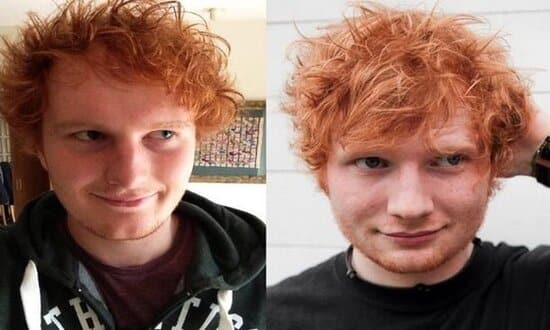
Additionally, you can compare appearances by placing your photo next to the celebrity who was identified as looking like you. After creating the photo, people can share it on social media to start having fun with their friends.
Want to know which celebrity you look like? Then keep reading to learn more about the Gradient Photo Editor app and learn how to create your own step-by-step. Stay tuned.
Step by step guide on how to find out which celebrity you look like:
1st step:
The first step is characterized by Download Gradient Photo App on your cell phone. Then, open the app and click “continue” a few times to configure the app on first access. Then, click “X” in the upper left part of the screen, so you can use the free version of the app.
2nd step:
Right on the home screen, click on “Edit” and choose a photo to edit. Then go to “Presets”, where you can choose the filter you want for the image, such as: vintage, black and white or bronze, for example.
3rd step:
In the “Beauty” step, you can change some features such as changing the thickness of the lips, enhancing the skin color, changing the jaw, nose, cheeks, eyes, among others. Then go to “Filters” to select a filter on top of the image that was edited.
4th step:
To change the exposure, brightness, shadows, temperature, contrast and saturation – click “Edit”. If you want to add stickers or text to the image, just tap “Add”. After making all the desired changes, just click “Save photo”, right in the top right corner of the screen.
5th step:
Now that you’ve edited your photo, it’s time to find out which celebrity you look like. To do this, simply click on “Try it on now” and then on “Who is your twin”. Next, select the selfie you edited or any other of your preference, then wait for the application to generate the result.
After the result is generated you can to share the image with whoever you want or even on social networks to start the fun with friends.
What did you think of this? step by step? Share it with your friends so they can join in the fun too. Remember that you can choose any photo you want to compare and, if you want to skip straight to the comparison step, that's fine.