

Painting the walls of your home generally ends up taking a lot of time and energy, like thinking about the best color, how to do it combination with furniture already existing, you need to think about the texture and also worry about whether the final result will please everyone in the house.
Therefore, it is so important that every procedure is done in a thoughtful and planned way so that the final result is very good and can generally last for at least a year, which is the time that people normally go back to do the procedure. maintenance of the return.
But thanks to technology, carrying out this type of work has become increasingly easier, as there are now applications that do practically all the work creation of art, thus providing the possibility of making simulations of what the wall color.
Do you want to learn about these apps so you never make a mistake when choosing the color for your home's walls? Then read this article until the end!
5 apps to help you paint your house!
1. ColorSnap Visualizer
THE ColorSnap Visualizer app is an option of Sherwin-Williams to enable a new color for the walls of your home. Through the application you can get an idea of how the new color would look on your wall. After the walls are virtually painted you can share the images on social media or leave the images saved on your cell phone.
It's very simple to use, just open your cell phone's camera and point it at the wall you want to color, and the app will quickly identify the color code that most closely matches the image.
2. Suvinil
With about 1,500 shade options of paints to paint the walls, the application of Suvinil generates a reproduction of the paint catalog that Suvinil makes available to its customers. Therefore, customers no longer need to go to a store in person to check the available paint colors. Simply download the Suvinil app and see the possible combinations.
In the app, users can also create folders to save their favorite colors and access them more easily.
3. Paint My Room
To use the application Paint My Room Just download it, open the camera and point it at the wall you want to paint. You can select the color from the palette and wait for the app to load and finish processing. This is another app that helps people to imagine what the wall of their home will look like after it is painted.
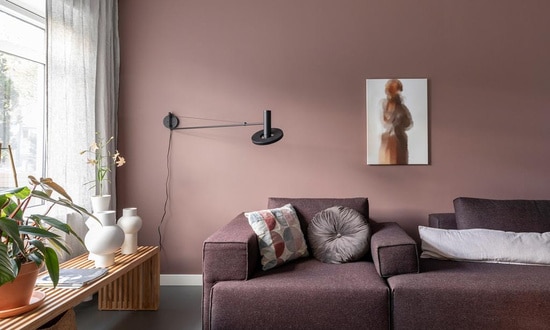
4. Paint Tester
The Paint Tester app has a range of colors in a more practical and direct way so that people can be more objective when choosing their favorite colors when renovating their rooms. The app has the most traditional colors on its platform.
5. Color Detector
The application Color Detector It is highly recommended for people who are more perfectionists and in addition to worrying about colors, they are also concerned about hue. To use it, just point the app's camera at a wall so that the code appears. RGB can identify the best color for the wall of your home.