

Want to know how to create Instagram Stories? Great. You're in the right place!
The stories of this social network that has grown a lot, which is the Instagram, is used more and more every day by many people around the world.
Not to mention that people are quickly able to connect even better with content creators and brands.
This means that having a good presentation in stories can make you stand out in a very short time.
So to make your content more creative and interesting, we have separated 4 applications for you to create Instagram stories.
Below are 4 apps for anyone looking to create Instagram Stories:
1- SPARK POST
THE Adobe Spark Post is an app which has customizable and interesting templates that are divided by themes that fit both stories and feeds.
They use images and have alternatives create animations that are transformed into videos. It is also widely used for Pinterest covers.
It's convenient because you can use a template as a base and change only what you need. There are even shareable list templates.
And after it's done, you resize it to wherever you're going to use it. (stories or feed) and it makes a nice looking layout with the same data.
There is a version for the computer and everything you do in the app, you get access to by computer.
Install the application: Android – iOS – Website
2- UNFOLD
Unfold has story templates with cool, minimalist sequels to videos and photos.
You can tell a story or showcase a new collection as if it were a magazine. Plus, all colors and fonts are customizable, except for the layout itself.
It's fine nice for stories quick or continuations that are changed into videos later in the applications InShot (easier) or not Adobe Rush (more professional).
Some of the collections are paid, however, the free ones are considered by many to be great for beginners.
Install the application: Android – iOS
3- JANE
Jane has models of Instagram stories, because they all have a magazine layout style.
There are also templates for the feed, stories, cover YouTube and Pinterest coverYou will be able to use videos or photos.
There are collections with a pleasant appearance, excellent design and spacing for placing text.
However, there is a flaw. Because the app is Chinese, we cannot use certain utilities because we cannot use the Chinese social network which is the WeChat app.
In any case, the free version is quite complete in all categories offered. It's the only one that keeps the logo of the free version app.
Install the application: Android – iOS
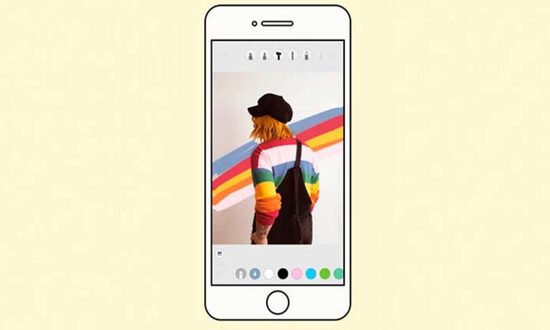
4- STELLER
Steller offers customizable templates after you add your photo. It has several categories, among videos and photos.
What's more, the list category is already designed to tell a story. While there are ready-made templates, you can create your own. Instagram stories creative.
Through from the app, you can see ready-made layout options with the photo you choose.
One drawback is that some models don't allow you to move the elements (lines, squares, among others).
Install the application: Android – iOS
These were our app recommendations for anyone looking to create Instagram Stories. If you liked it, please share it with your friends.